AWD

Desktop Platform for Wind Turbine Inspection

ROMOTIONCAM is a desktop platform designed to support wind turbine inspection without stopping turbine rotation.

Role
Product Designer

Platform
Desktop Application

Duration
1.5 years

Users
5 roles

Scope
100+ screens

Project Overview

ROMOTIONCAM is an internal application designed to support wind turbine inspection without stopping turbine rotation.
The client developed a rotating camera system capable of capturing turbine images while blades are in motion, significantly reducing downtime and financial loss for wind park owners.
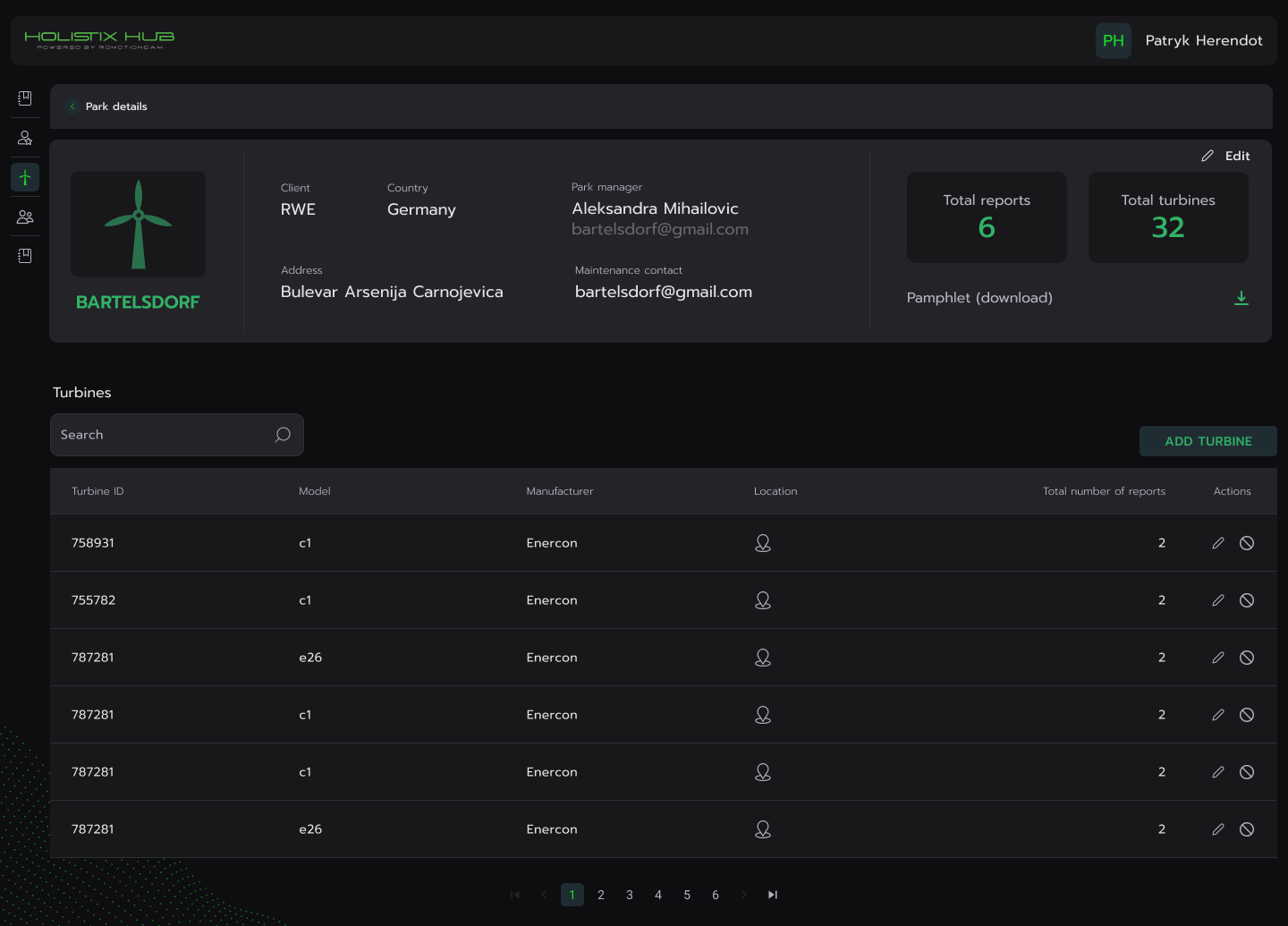
The application centralizes the entire inspection workflow and connects multiple roles involved in the processThis was a complex B2B industrial product with highly specialized users and workflows.

My Role

I was responsible for:

  1. Product concept and UX strategy
  2. User research and competitor analysis
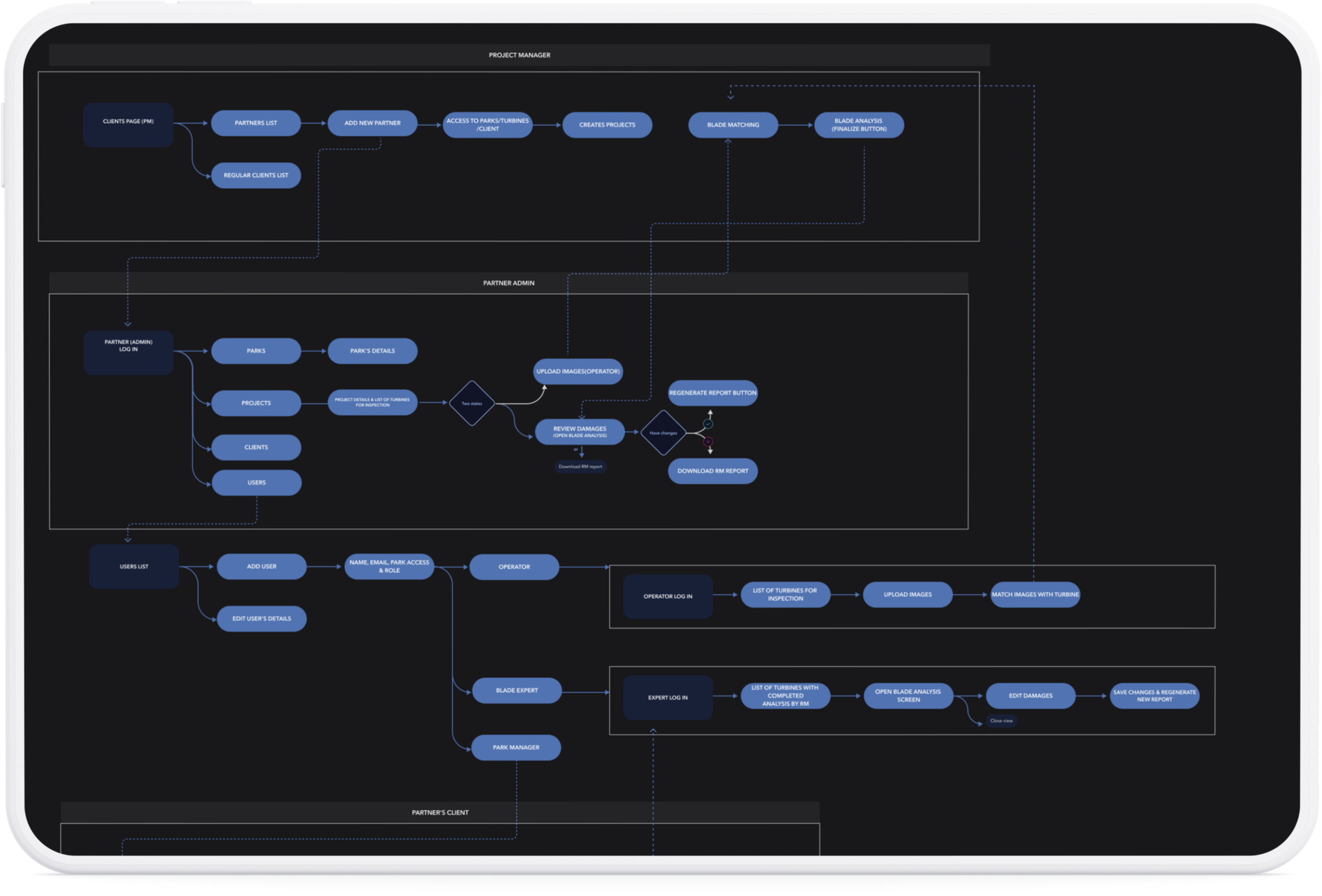
  3. Workflow design and information architecture
  4. Wireframing and prototyping
  5. UI design and visual identity
  6. Creating a complete design system and component library

Problem

Before ROMOTIONCAM, the workflow relied on multiple disconnected tools. One tool was used for importing camera images, a separate third-party tool handled the inspection process, and yet another tool was required for generating reports.

This fragmented setup resulted in inefficient workflows and poor usability during critical steps of the inspection process. It also limited collaboration between different roles involved in the workflow and increased the risk of mistakes and delays.

Research

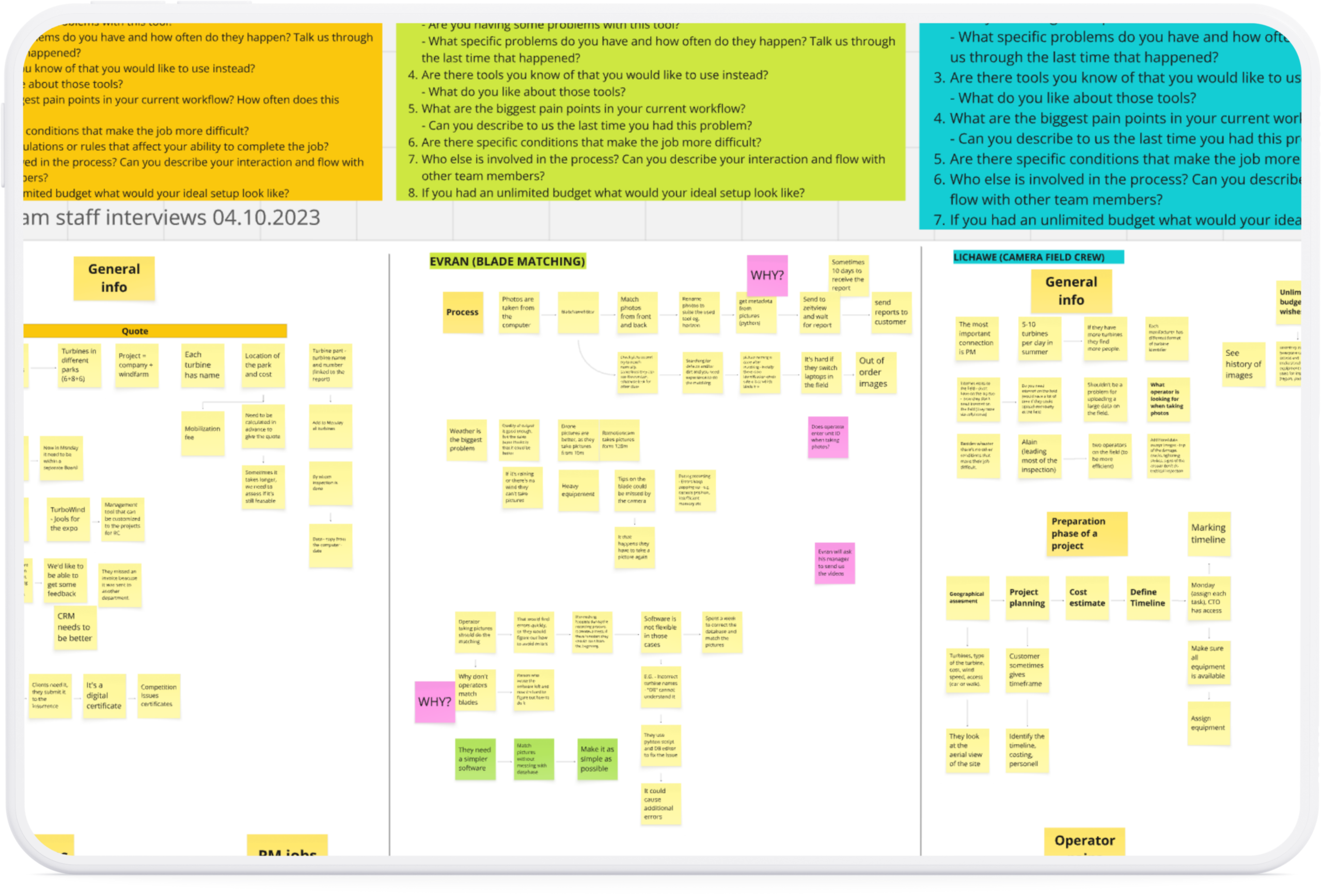
I interviewed professionals directly involved in
wind turbine inspection to understand:

• how they process captured images
• how turbine blades are identified
• how inspection workflows are structured
• what pain points exist in current tools

Wireframes

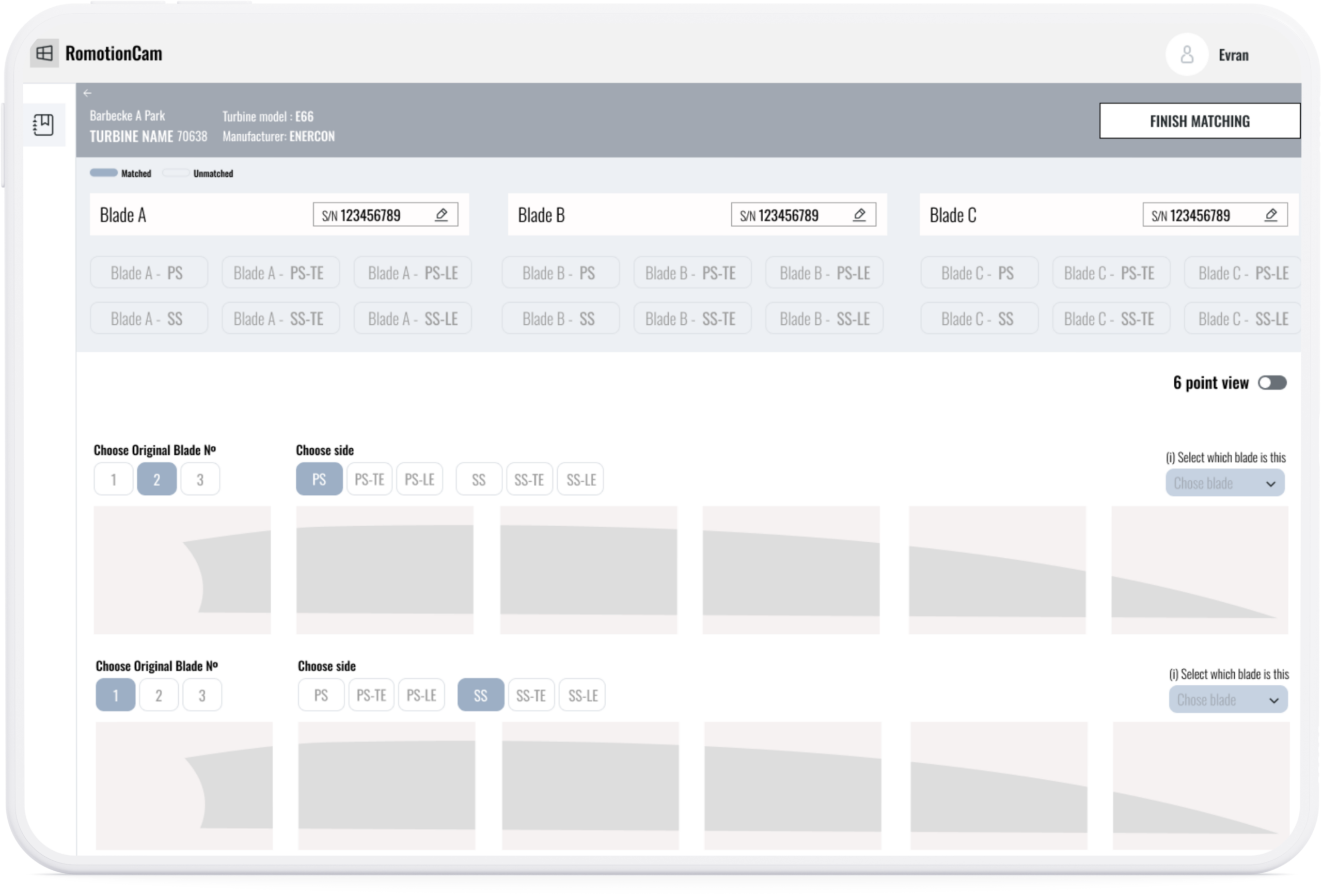
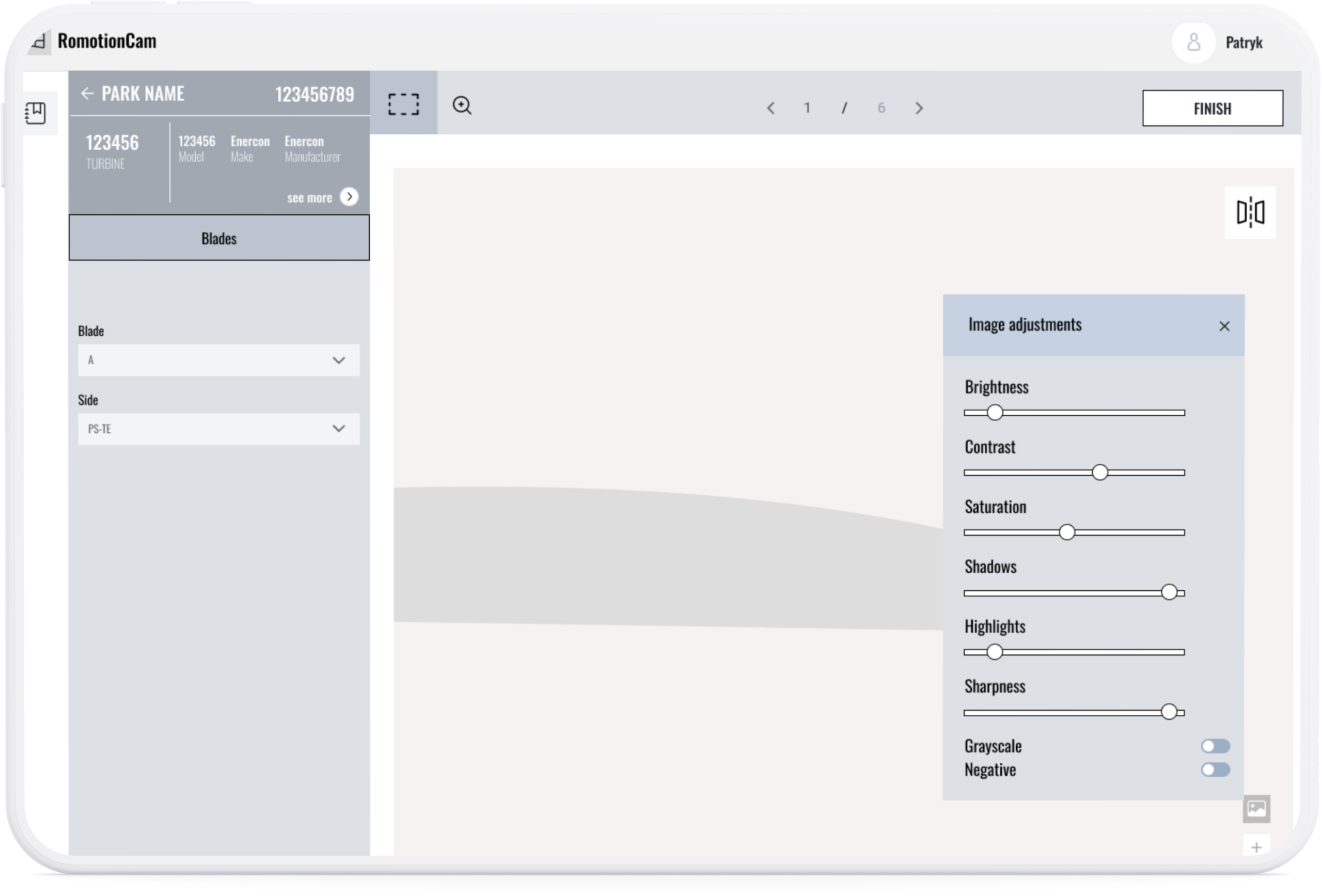
After defining roles and features with stakeholders, I created wireframes to validate workflows and navigation before moving to visual design. This helped align stakeholders early and reduce changes later in development.

Key Chalange

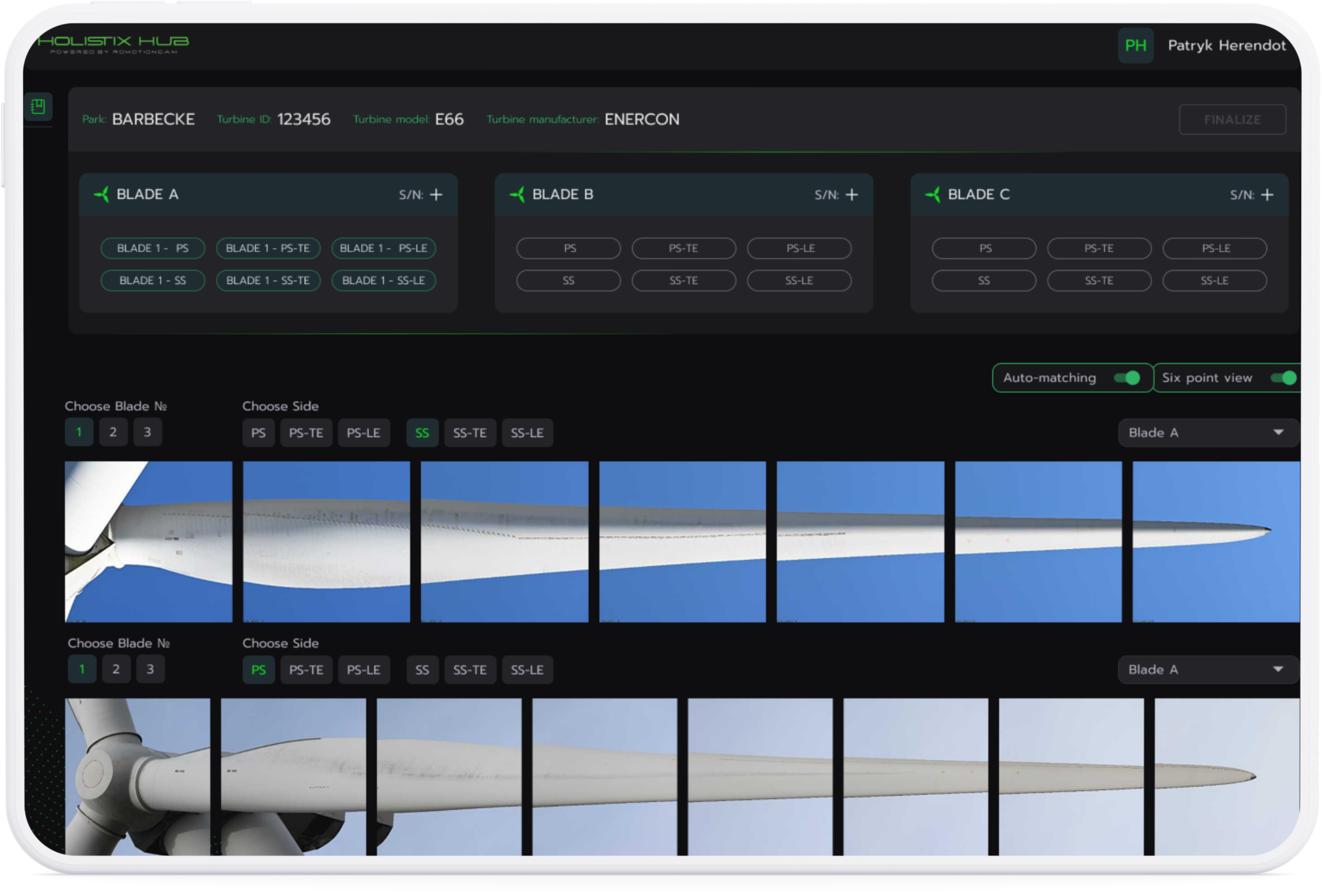
Designing the Blade Matching Workflow

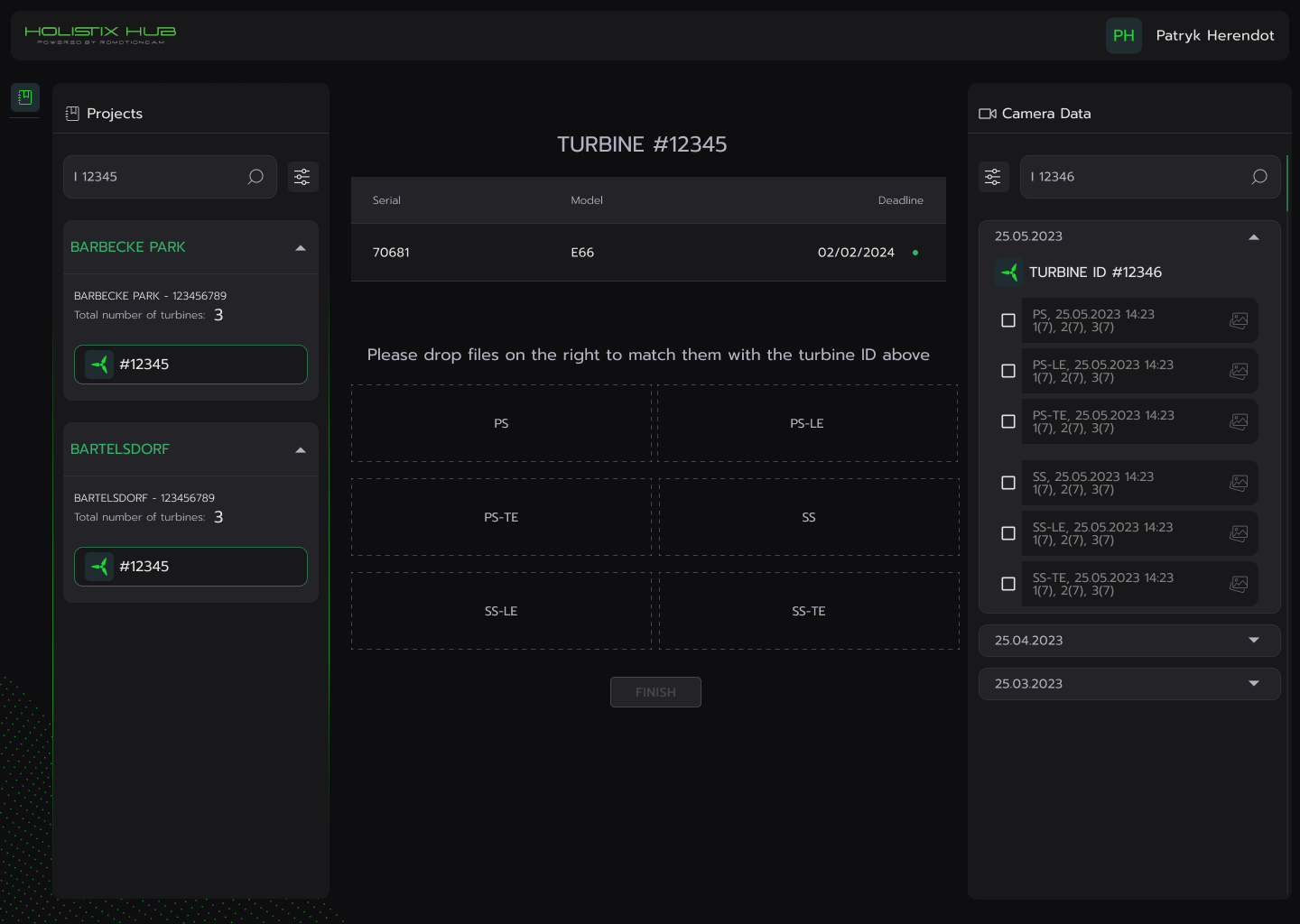
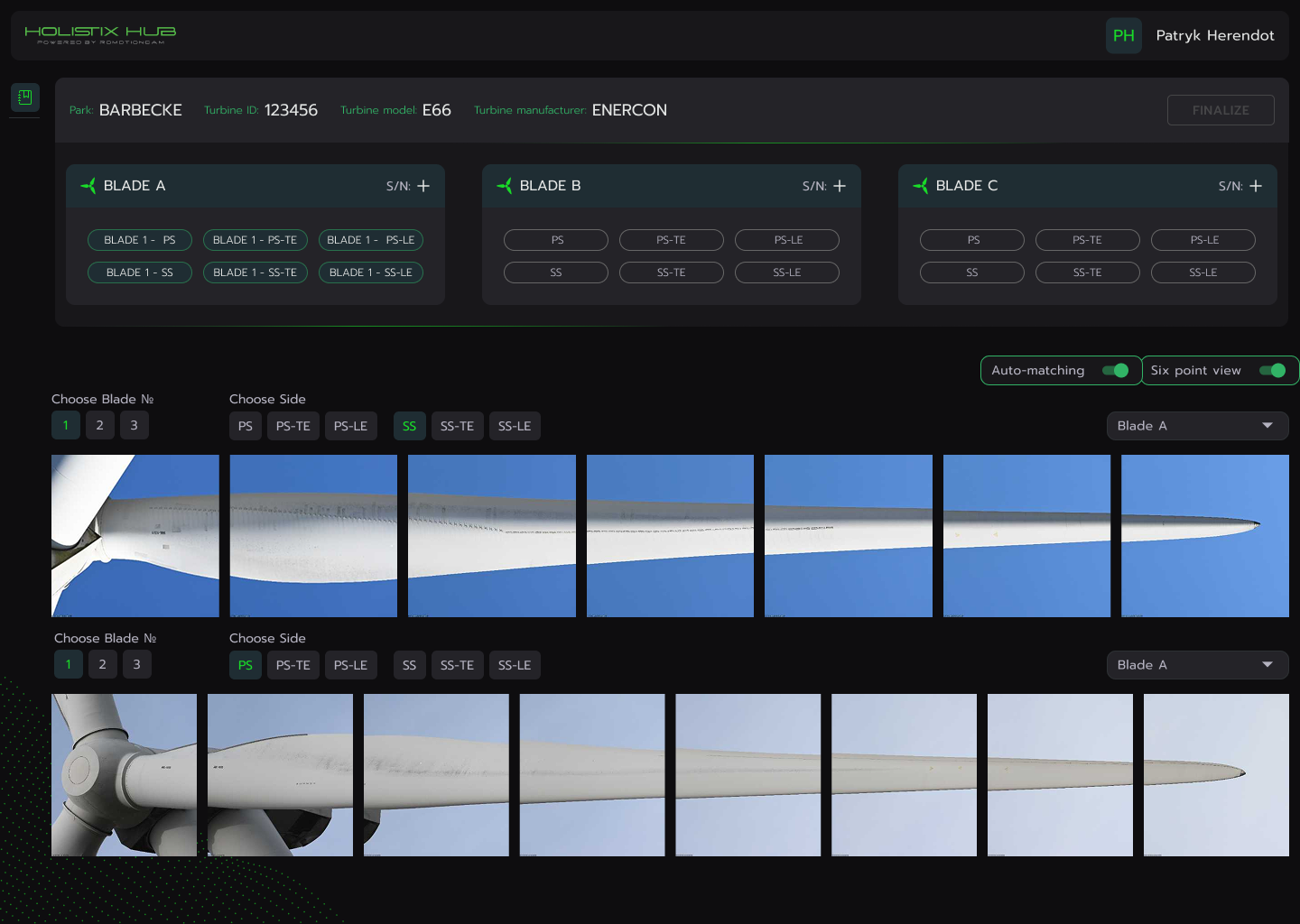
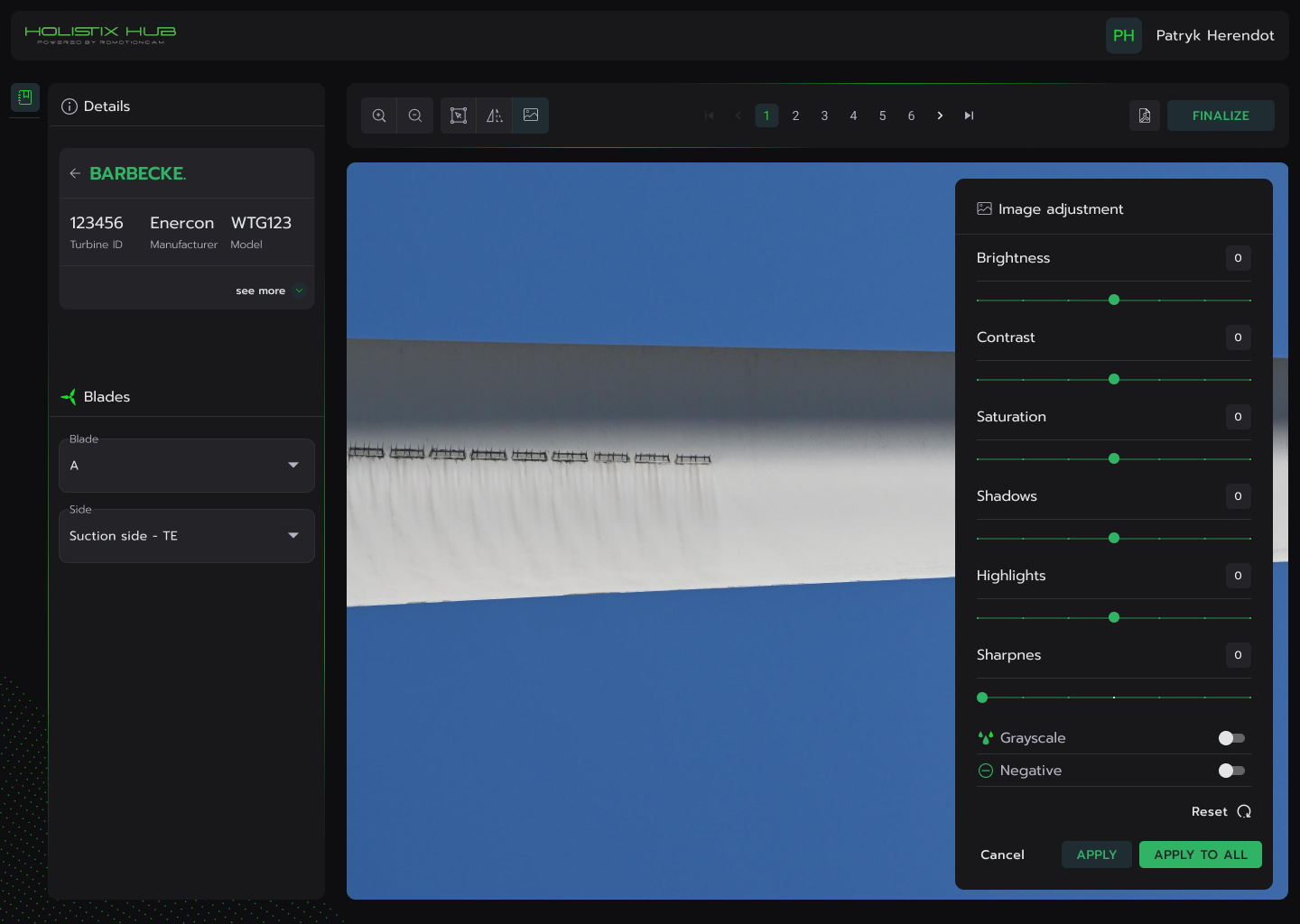
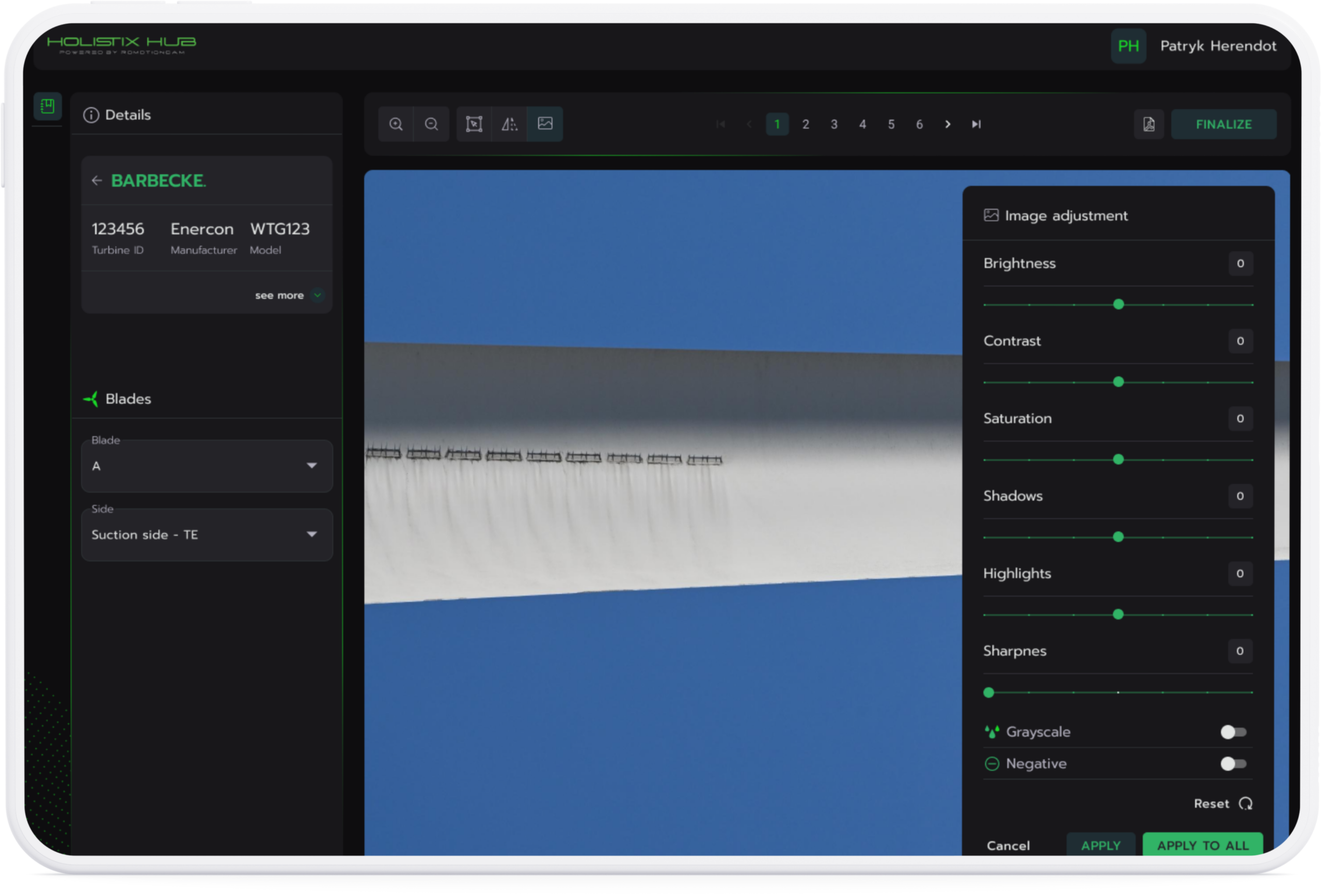
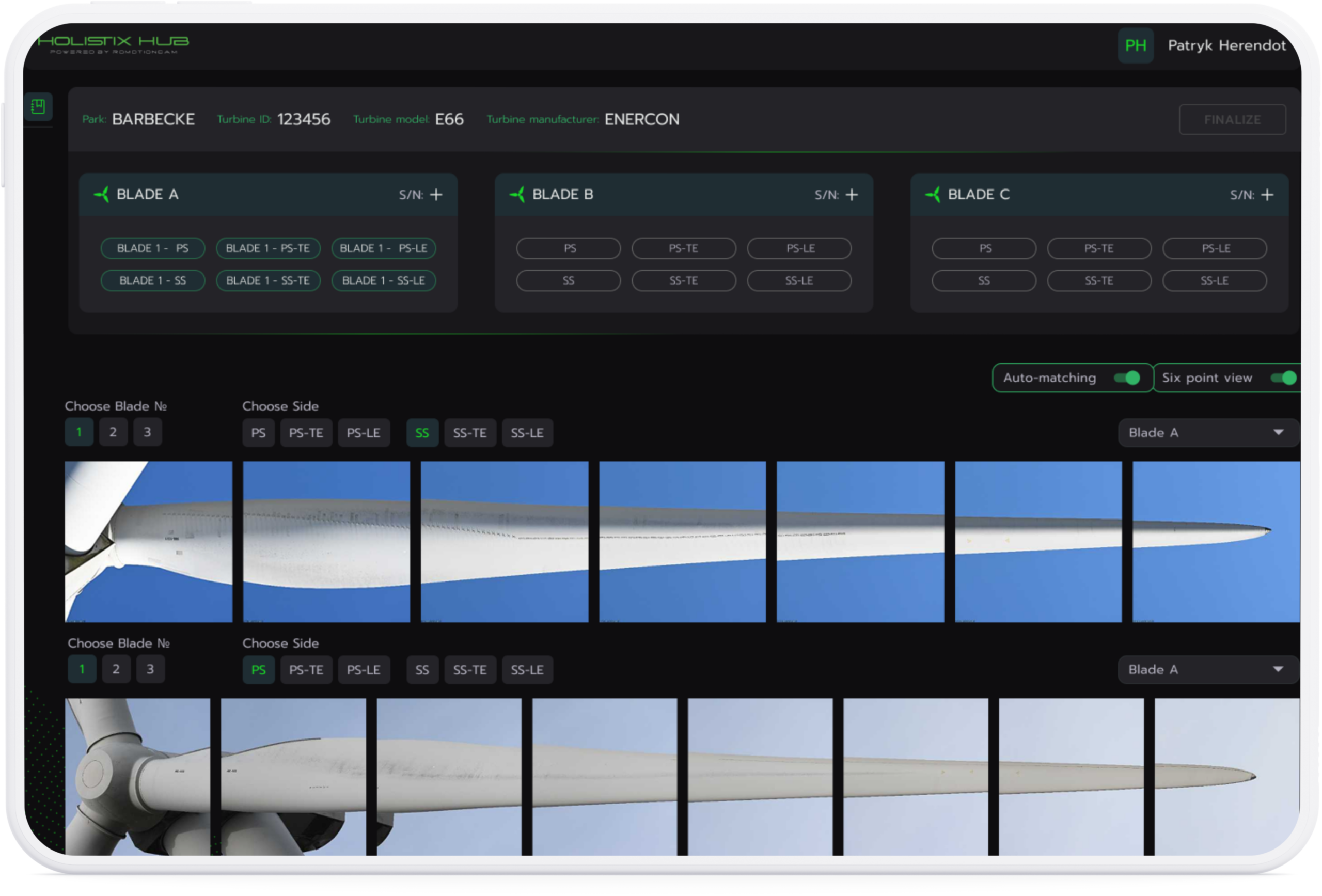
Operators needed to analyze multiple images at once and correctly assemble turbine blades from captured photos. The interface had to support viewing large image sets, identifying matched and unmatched blades, and editing individual images or blade groups while keeping the interface clear despite the large amount of data.

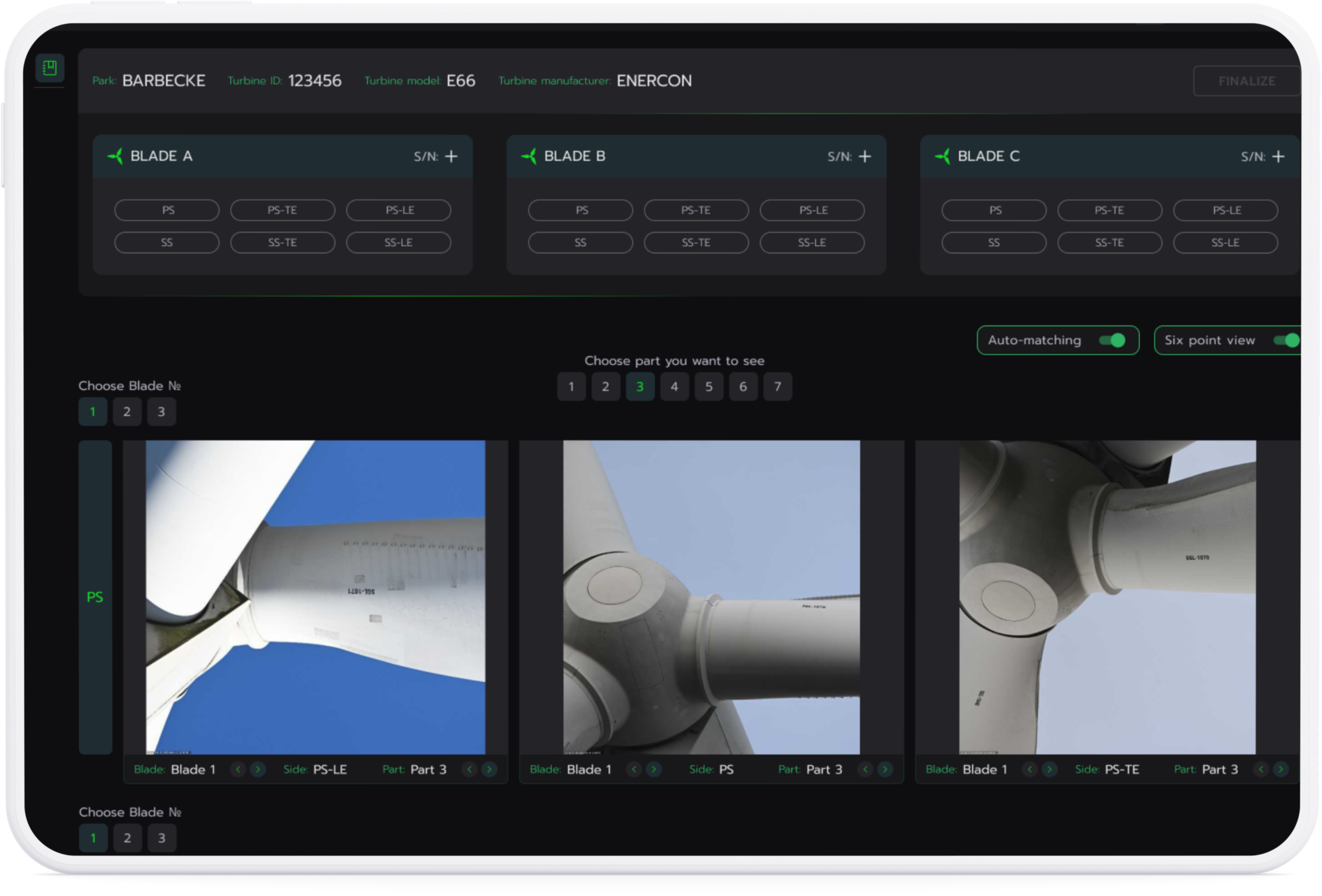
To improve efficiency, I introduced an automatic blade matching feature where the system suggests blade arrangements, allowing operators to quickly verify or adjust the results
Final Design

Designing the Blade Matching Workflow

The final platform connects all inspection roles into a single workflow that integrates image processing, blade matching, inspection, and reporting.

Reach out to get started about

your design needs?

Current Address

Belgrade, Serbia

Need Projects?

Call : +381 (64) 18 45 078

AWD

© 2026 AWD. All Rights Reserved.